City Parking 3D: Precision Driving
Runs in your browser — no download.
Reviews
City Parking 3D offers a satisfying blend of driving precision and strategic planning. The realistic 3D city environments are detailed and immersive, with multiple districts that increase in difficulty. The intuitive controls make it easy to pick up, while the police AI adds an extra layer of challenge. Unlocking new vehicles keeps the gameplay fresh. It's a great choice for players who enjoy thoughtful puzzle games.
Description
Game Introduction
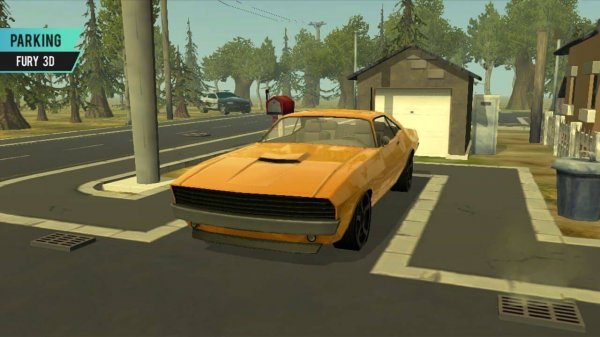
City Parking 3D: Precision Driving is a driving puzzle game that places you behind the wheel in a lively city environment. Your main goal is to drive through traffic and park your car in designated spots without causing any damage or attracting unwanted attention. The game offers a realistic 3D city with multiple districts, each increasing in difficulty. It combines driving precision with strategic planning, making each level a fresh challenge. As you progress, you will encounter more complex parking scenarios that test your ability to maneuver in tight spaces and navigate through busy streets. The game is designed for players who enjoy a mix of driving skill and thoughtful route planning. With its focus on careful driving and parking accuracy, it provides a satisfying experience for those who like to master controls and improve their performance over time. The city environment is detailed and immersive, adding to the sense of realism. Each district has its own unique layout and obstacles, ensuring that no two levels feel the same. Whether you are a casual player or a dedicated driving enthusiast, this game offers a rewarding challenge that encourages patience and precision.
How to Play
To play, use the arrow keys or on-screen buttons to control your car. Follow the on-screen markers that guide you to the parking zone. Steer carefully to avoid other cars, lampposts, and curbs. The main challenge is avoiding police cars. If a police officer spots you driving recklessly or bumps into your car, the level ends. Park perfectly to progress and unlock new areas. The controls are intuitive, allowing you to accelerate, brake, and steer with ease. You will need to plan your route ahead of time to avoid obstacles and reach your parking spot safely. The game provides clear visual cues to help you navigate, but you must remain alert and adjust your driving based on the traffic and road conditions. Each level requires a combination of smooth steering and gentle braking to avoid collisions. Taking your time is often the best strategy, as rushing can lead to mistakes. The game rewards careful driving and precision parking, so focus on making gradual movements and staying within the designated parking area.
Game Features
Features include realistic 3D city environments. Multiple vehicles to unlock as you advance. Challenging police AI that patrols the streets. Intuitive driving controls for easy play. Progressive difficulty levels that keep the game engaging. The game also includes a variety of districts, each with its own unique layout and obstacles. As you complete levels, you will unlock new vehicles that may offer different handling characteristics. The police AI adds an extra layer of challenge, as you must drive cautiously to avoid detection. The controls are designed to be accessible for players of all skill levels, with options for both keyboard and touch input. The difficulty increases gradually, ensuring that you are constantly challenged without becoming frustrated. The game also features a clean interface that makes it easy to track your progress and see your performance on each level.
Tips for Success
Practice smooth steering and gentle braking to avoid collisions. Always keep an eye on the on-screen markers and plan your route ahead of time. Watch for police cars and drive cautiously in their vicinity. Take your time—rushing often leads to mistakes. Replay earlier levels to master the controls and improve your parking accuracy. Focus on making gradual adjustments rather than sharp turns, and use the brakes lightly to maintain control. By practicing regularly, you will develop a better feel for the car's handling and learn to anticipate obstacles.