

Roblox Runway Stylist
Opens in a play window — no download required.
Reviews
Roblox Runway Stylist delivers exactly what it promises: a straightforward, enjoyable dress-up experience. The wardrobe offers enough variety to keep players engaged, with tops, skirts, dresses, and accessories that can be mixed freely. Color customization adds depth, allowing for coordinated looks. Controls are responsive on both mobile and PC. The lack of competitive elements makes it a calm activity for unwinding. While the selection could expand over time, the current offerings provide plenty of room for creativity. A solid choice for anyone who enjoys virtual fashion.
Description
Core Styling Mechanics
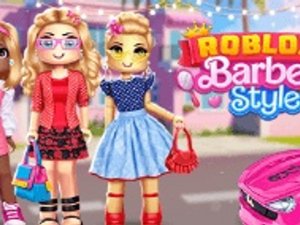
Players begin by selecting their Roblox avatar and entering a virtual wardrobe filled with clothing pieces. The interface allows for easy browsing through categories such as tops, skirts, dresses, shoes, and accessories. Each item can be previewed on the avatar before making a final selection. Color palettes offer additional personalization, letting users match shades to create cohesive outfits. The system encourages experimentation by allowing quick swaps between different combinations without resetting progress.
Wardrobe Variety & Visual Themes
The collection includes a range of styles from casual daywear to glamorous evening attire. Sparkly fabrics, pastel tones, and bold patterns are available for those who prefer eye-catching ensembles. Players can also adjust hairstyles and hair colors to complement their chosen outfit. The visual design maintains a clean, colorful aesthetic that fits well within the Roblox environment. Regular updates may introduce new seasonal items, keeping the wardrobe fresh for returning players.
Platform Accessibility & Controls
This experience works across both mobile devices and desktop computers. On touchscreens, tapping and swiping navigate the wardrobe menus. Desktop users rely on mouse clicks to select and drag items. The controls remain intuitive regardless of platform, ensuring that players of all ages can participate without frustration. Loading times are minimal, and the game runs smoothly even on older hardware.
Creative Expression & Sharing
After completing a look, players can capture screenshots of their avatar in various poses. These images can be saved locally or shared through social media platforms if the device supports it. The game does not include any chat or direct interaction features, making it a safe space for younger audiences. The focus remains entirely on personal creativity and self-expression through virtual fashion.
Comments
Sign in to leave a note
You must be logged in before posting a review or rating.
No account? Create one
No comments yet. Be the first to comment!