

Bubble Separation Quest
Opens in a play window — no download required.
Reviews
Bubble Separation Quest takes a simple concept and executes it well. The gradual increase in difficulty provides a satisfying progression that rewards steady improvement. The minimalist visuals keep the focus on the core mechanic, and the responsive controls make precise actions possible. It is an excellent choice for a quick mental warm-up or a longer session of focused play. The lack of downloads and straightforward rules make it highly accessible.
Description
Core Objective
Bubble Separation Quest presents a straightforward challenge: prevent green and pink bubbles from making contact. As these colored spheres appear and float across your screen, your task is to keep them separated. The game starts at a relaxed pace, allowing you to get comfortable with the controls, but gradually increases in speed. This creates a satisfying ramp in difficulty that tests your ability to stay calm under pressure. The core loop is easy to understand, making it accessible for players of any age or experience level.
Controls & Setup
This game is designed for desktop computers and works best with a mouse or keyboard. You do not need to download or install anything; it runs directly in your web browser. Simply open the page and start playing. The interface is clean and uncluttered, putting the focus entirely on the bubbles. For a more immersive experience, you can switch to full-screen mode. The controls are responsive, allowing for precise movements that become crucial as the action heats up.
Visual Style & Atmosphere
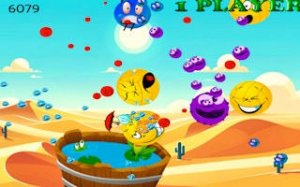
The game features bright, colorful visuals that are easy on the eyes. The bubbles are clearly distinguishable, with distinct shades of green and pink that stand out against the background. The overall aesthetic is clean and minimal, avoiding unnecessary distractions. This design choice helps maintain your focus on the primary task. The visual feedback is immediate when bubbles touch, clearly signaling the end of a round. The cheerful color palette makes the game feel light and inviting, suitable for short breaks or longer play sessions.
Progression & Challenge
Bubble Separation Quest includes a scoring system that tracks your performance. Each successful separation adds to your score, encouraging you to beat your personal best. The increasing speed ensures that no two rounds feel exactly the same. As you improve, you will notice your reaction time and hand-eye coordination getting sharper. The game does not have levels or stages in the traditional sense; instead, the challenge is continuous, with the difficulty naturally escalating the longer you keep the bubbles apart. This creates a compelling loop of practice and improvement.





Comments
Sign in to leave a note
You must be logged in before posting a review or rating.
No account? Create one
No comments yet. Be the first to comment!